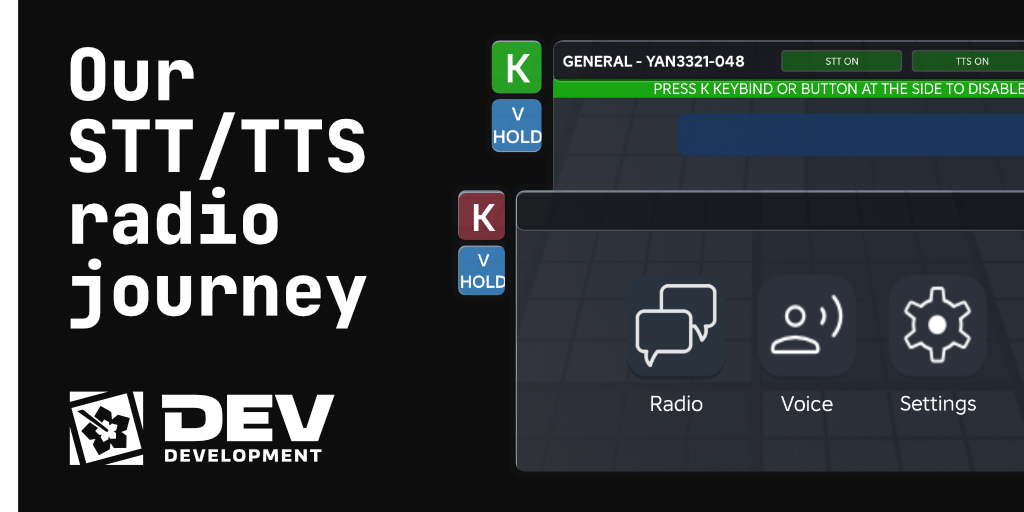
Our STT/TTS radio journey
How we built a four-channel in-game radio for MYSverse Sim, including text, TTS, live voice, and speech-to-text, and the design lessons that apply to any multi-modal voice feature.
Disclaimer: This blog post was largely generated by a LLM, but has been manually reviewed for accuracy. Read our Generative AI disclaimer to learn more.
MYSverse is the premier publisher of Malaysian-themed roleplay experiences on the Roblox platform. Police, firefighters, military, civilians, the whole thing. For a roleplay to feel alive, the radio has to feel real. Not a chat window with a different font, but a proper channel system where a MYSverse Police officer calling in a 10-20 sounds like a police officer calling in a 10-20, complete with the crackle of a handheld.
This is the story of building that radio; what we got right, what we got wrong, and what we'd tell anyone trying to build something similar.
What a "real" in-game radio actually needs
Before any code, it helps to be honest about what you're really building. A convincing radio isn't one feature. It's four, and they interact in interesting ways.
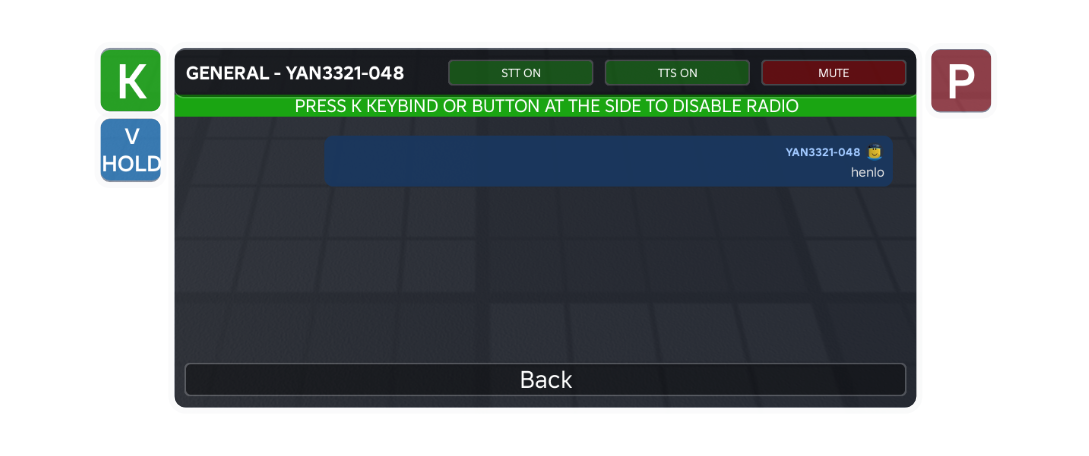
Text is the baseline. A player types a message; it appears as a bubble inside a dedicated radio UI, scoped to whatever channel they're on. Simple, readable, always works even if audio is flaky.
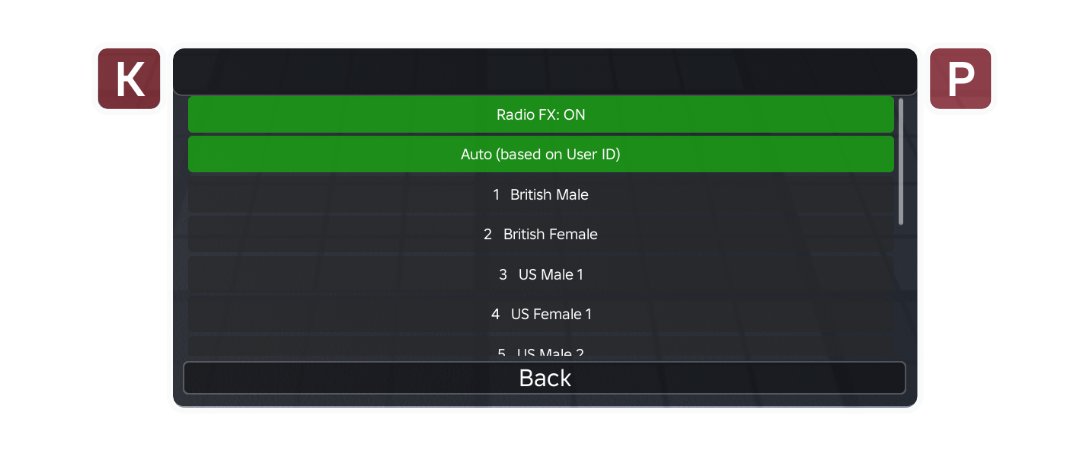
Text-to-speech (TTS) is what pushes the experience from "chat with styling" into "radio." When someone types, an AI voice reads the message aloud — filtered through EQ and light distortion so it sounds like a walkie-talkie. Suddenly you're not reading traffic, you're hearing it.
Live voice is the PTT (push-to-talk) side. Hold a key, speak, and your actual mic audio is routed through the same radio-FX chain to everyone on your channel. This is the killer feature — nothing else sounds as alive as a real human voice coming through a simulated handheld.
Speech-to-text (STT) closes the loop. When a player uses PTT, their speech is transcribed and posted to the radio as a text message. Deaf and hard-of-hearing players can follow along; players in noisy environments can glance at the log instead of leaning into their speakers.
If you're coming to this fresh, Roblox gives you genuinely nice building blocks for all of this: TextChatService for chat, TextService:FilterStringAsync for moderation, AudioDeviceInput/AudioDeviceOutput plus VoiceChatService for live mic routing, and AudioSpeechToText for transcription. The hard part isn't any single piece. It's making them cooperate.
Lesson one: don't correlate two streams when one will do
Our first architecture was clever. Maybe too clever.
When someone sent a radio message, the server broadcast metadata only to channel members — sender ID, callsign, channel, voice ID. No message text. On each receiving client, the actual text arrived separately through TextChatService.MessageReceived, which fires when Roblox delivers a filtered chat message. Each client would wait for both halves — metadata and text — and match them up by sender ID within a 5-second window.
Why? Because Roblox automatically filters text that flows through TextChatService, including per-recipient filtering (stricter rules for under-13 accounts, for example). By piggybacking on the chat system, we got filtering for free.
It worked. Until it didn't.
The problem surfaced in a specific user report: "you can hear the messages send by others but you cannot see it within radio." A single sentence, and it told us exactly where the bug was. Two channels of output — audio and visual — disagreeing with each other almost always means two independent subsystems, and the one that's quietly failing is the one you stopped seeing.
Live voice had its own path, wired directly from sender mic to recipient speaker. It didn't care about our clever matching logic. So when MessageReceived intermittently failed to fire (a known Roblox quirk, especially with filtered content), or when the display function hit one of its many early-return guards during a respawn, the text half of the handshake evaporated. Live audio kept working. The bubble never rendered. You could hear the message. You couldn't see it.
The fix wasn't to make the matching more robust. It was to delete it.
We moved filtering to the server — explicit calls to TextService:FilterStringAsync followed by GetChatForUserAsync for each recipient — and sent the filtered text through our own event alongside the metadata. One packet. One source of truth. No correlation, no timeouts, no cleanup loops.
The lesson, if you're building something like this: Roblox's built-in filtering is a gift, but the mechanism by which you access it matters. If consuming it forces you to synchronize two independent event streams with timing windows, pay the small cost of calling FilterStringAsync yourself. Your reliability goes up dramatically. And remember GetChatForUserAsync(recipientUserId) — it produces the correctly-filtered variant for each target, which matters for mixed-age servers.
Lesson two: decouple capabilities that only look related
A few weeks after shipping the fix, the user came back with a subtler complaint: STT struggled with Malaysian English accents, and it sometimes picked up background noise. Could they just… use the mic, without the transcription?
Sure, easy. Except it wasn't, because we'd quietly welded two things together.
Our PTT button only appeared if STT was possible. Our start-listening function bailed out if STT wasn't ready. Our keybind handlers gated everything on the STT capability flag. In our heads, push-to-talk was the speech-to-text feature. In reality, they're two independent capabilities that happen to share an interaction: you hold a key, and then either (a) your mic audio streams to others, (b) your speech is transcribed to text, or (c) both.
When we untangled them, the code became much clearer. Three capability-check helpers made the logic read like documentation:
local function canUseStt(): boolean
    return sttPossible and sttUserEnabled and radioVoice:IsReady()
end

local function canUseLiveVoice(): boolean
    return radioLiveVoice ~= nil and radioLiveVoice:IsLocalVoiceEnabled()
end

local function canUsePtt(): boolean
    return canUseStt() or canUseLiveVoice()
end
Now startListening just does whichever subset is available. STT only? Transcribe. Live voice only? Stream mic. Both? Do both. The button label and transcript UI change to match what's actually happening (REC vs LIVE).
If you're building a multi-modal voice feature, extract capability checks into named functions before you write the feature. They read like documentation, they stop you from accidentally gating one capability on another, and they make runtime toggles (like letting users flip STT off) trivial to add later. Two features that share a trigger are not the same feature.
Lesson three: every circuit breaker needs a recovery path
Our TTS system had a defensive mechanism: after three consecutive failures, disable TTS for the rest of the session. Protect the user from repeated audio glitches, right?
if consecutiveFailures >= MAX_CONSECUTIVE_FAILURES and not disabledForSession then
    disabledForSession = true  -- and nothing else, ever
end
The flag was only ever set to true. Nothing in the codebase turned it back off. Three transient hiccups during the first thirty seconds — perhaps because Roblox's audio system was still initializing on mobile, or the player's connection was briefly unstable — and TTS was dead for the entire play session. Could be five minutes. Could be three hours.
The fix was a handful of lines:
task.delay(COOLDOWN_DURATION, function()
    disabledForSession = false
    consecutiveFailures = 0
end)
Thirty seconds of back-off, then we try again. If things are genuinely broken, we'll hit the threshold again and cool down again. If it was transient, we recover.
General rule: any boolean that can only transition from false to true will eventually get stuck in a way that hurts you. Disable on a time budget, not permanently.
Lesson four: discoverability is a feature
The same user report that broke open the matching bug ended with: "is it possible where a person can choose to enable/disable the TTS so they could use their mic only instead of the voice to text thingy."
Both of those features already existed.
There was a "TTS ON / TTS OFF" button that appeared when you selected a channel. There was a "Voice Chat Radio: ON/OFF" toggle in the Settings page. There were eleven TTS voice options. None of this was secret — it was all in the UI. It just wasn't visible enough.
When a user asks for a feature you already built, you haven't been paid a compliment. You've been handed a bug report about your UI. We promoted the STT toggle from the Settings page to the channel-level button bar, right next to the TTS toggle, where it's impossible to miss. Build time: about ten minutes. Impact: people actually use it.
If you're building a complex feature with optional behaviors, ask yourself where each toggle lives and how many clicks away it is. A setting that takes three taps to find on mobile might as well not exist for most of your users.
A rough guide, if you're building your own
If this has nudged you toward building an in-game radio (or any multi-channel voice feature) for your own Roblox game, here's the shape of what worked for us:
Start with channels as folders. A simple ChannelsFolder/ChannelName/PlayerObjects structure on the server gives you membership, iteration, and join/leave events for free. You'll reach for this constantly when broadcasting.
Filter on the server, explicitly. Call TextService:FilterStringAsync(text, senderUserId) once per message, then GetChatForUserAsync(recipientUserId) per target. Wrap both in pcall and have a sensible fallback — usually "don't deliver that message" — when filtering fails. Don't rely on TextChatService.MessageReceived as a cross-client correlation signal.
Keep live voice as its own module. AudioDeviceInput on the sender wired to AudioDeviceOutput locally on each recipient, with whatever FX chain you want in between (a parametric EQ plus a mild distortion node gets you a surprisingly convincing walkie-talkie sound). Broadcast voiceStart/voiceStop events so recipients know when to wire and unwire — don't try to piggyback this on your text channel.
Treat PTT as a trigger, not a feature. The key-hold (or button-press) is just an intent signal. What happens when the intent fires should depend on runtime capability checks: is live voice ready, is STT ready, has the user toggled either off? Build the capability checks first. Build the PTT handler around them.
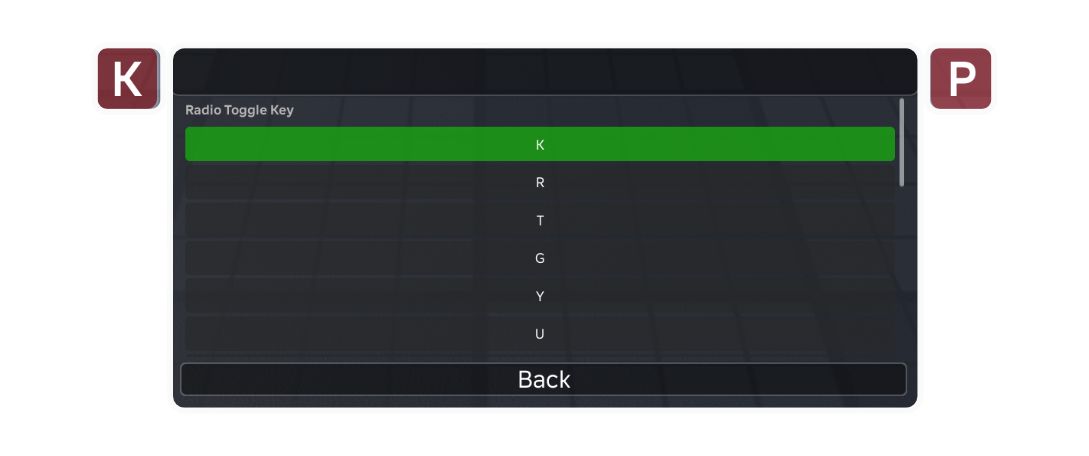
Design for per-user settings from day one. TTS on/off, STT on/off, voice selection, channel mute. These aren't features to bolt on later; they're the difference between a system people tolerate and a system people customize and love. And put the most-toggled ones where the user already is, not three screens away.
Give your circuit breakers a timer. Audio systems fail transiently on mobile, on slow connections, during respawns. Back off for thirty seconds and retry. Never disable anything permanently unless the user asked for it.
Read user reports literally. "Hear but can't see" is a two-subsystem bug. "Certain accent" is a model limitation, not a user error. "The mic already works fine without it" is a hint that you've coupled two things that shouldn't be coupled. The oddly-specific phrasings are the clues.
Closing
The things worth building are rarely the things with the cleanest first drafts. Our radio went through a fragile design, a brittle matching scheme, a coupling that limited what users could do, and a well-meaning circuit breaker that forgot how to reset. Each fix was small. Each lesson, in retrospect, was obvious. That's how it usually goes.
If you're building voice features for a Roblox game — or any system where audio, text, and user input have to cooperate — the headline lessons compress into a small list: one source of truth beats clever correlation, capabilities that share a trigger aren't the same capability, every failsafe needs a recovery path, and features the user can't find aren't really features.
The radio sounds good now. People call in their 10-20s and we hear them. And, finally, we see them too.